Launching soon · Android first, then iPhone
Don’t call.Just tap.
AI for people who don’t know what AI is. kaelo circles the next button. You tap it.
- Never taps for you
- Sees your screen only while helping
- 11 Indian languages
- No ads. No data selling.
Three steps. No phone call.
Ask.
Tap your little helper, or just say what you need.
See the circle.
The exact button to tap next gets circled, with arrows pointing at it.
Tap it yourself.
You make every tap. kaelo never does.
See it work
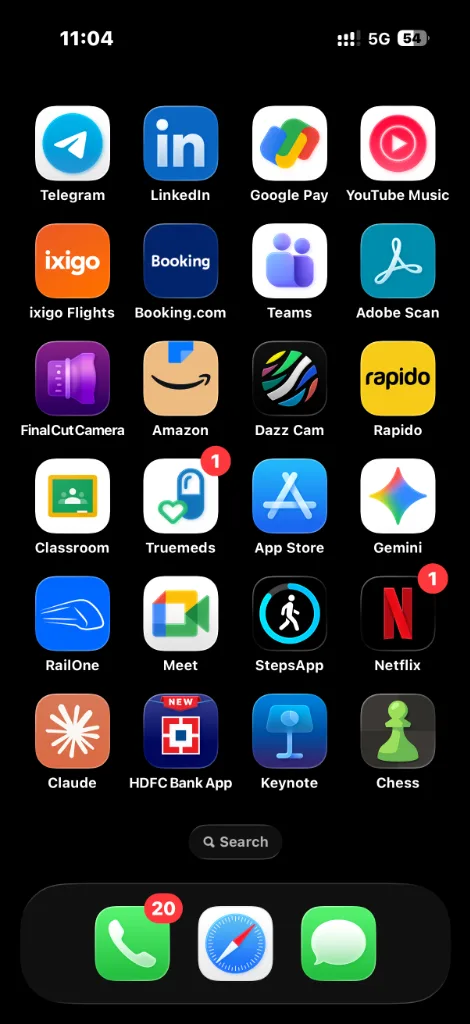
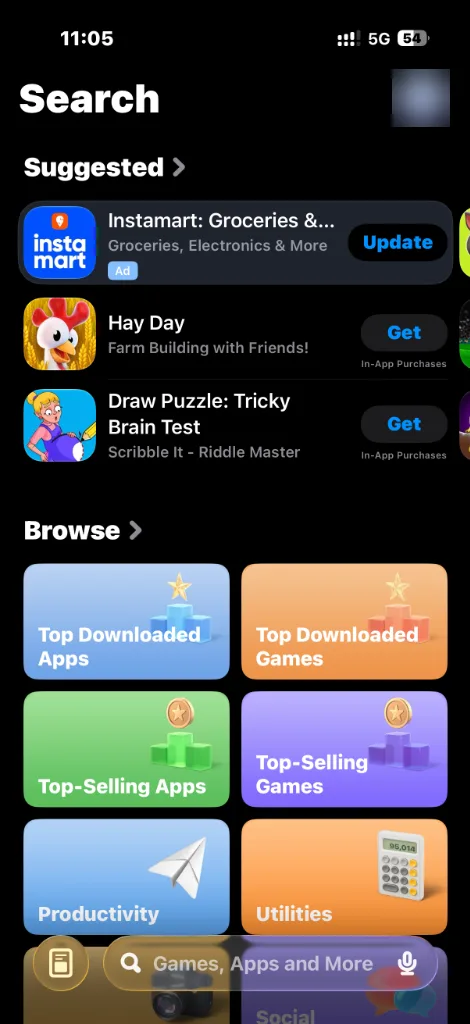
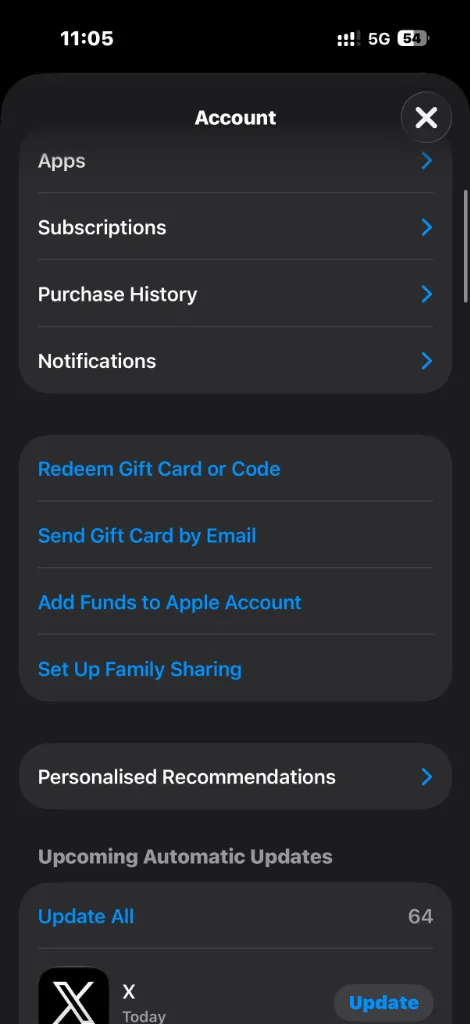
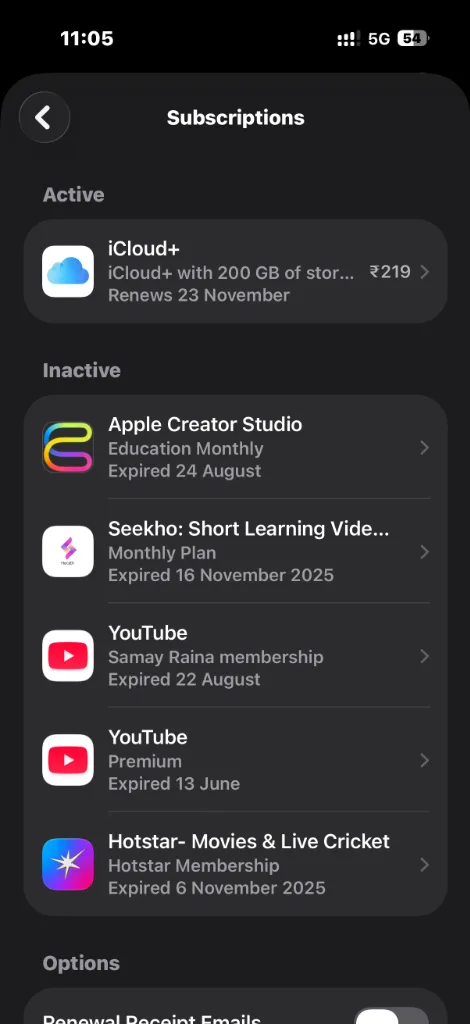
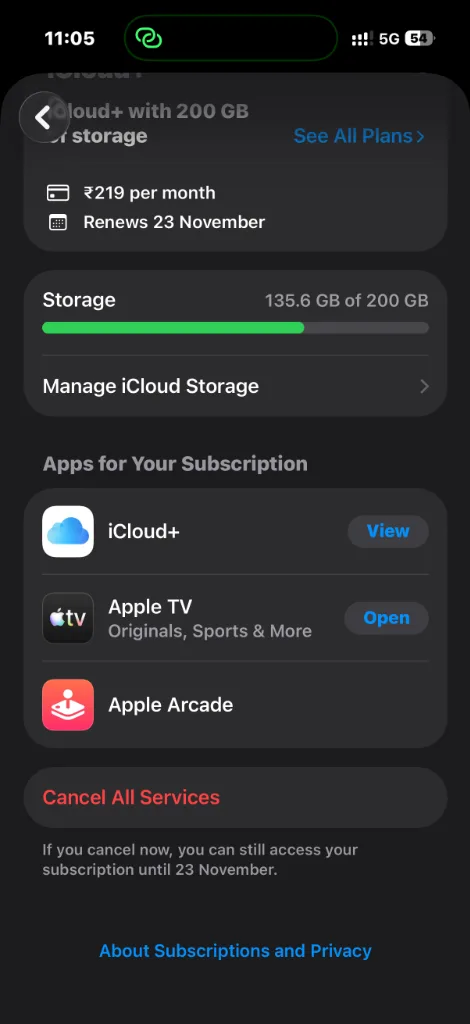
Watch it cancel a subscription.
Scroll, or tap any step. The phone shows that screen.
Step 1 of 5Opens App Store from HomeCircles the App Store icon right on your home screen.
Not a chatbot. A caretaker for the whole phone.
Stuck Guide
Circles the next button in any app or setting, and talks you through each step.
How it worksFiles for forms
Shrink a photo or PDF, change it to JPG or PDF, set an exact photo size. All on your phone.
Your filesSenior Mode
Bigger text and buttons, clearer contrast, a louder and calmer voice.
Senior Mode11 Indian languages
Hindi and English (or a mix of both), plus nine more. Tech jargon, turned into everyday words.
Private by design
Looks only while helping. Never reads passwords, stays out of payment apps.
OTP finder
Shows the code big and clear, only when you ask.
What’s inside
Other AI tells you what to click. kaelo shows you where, and does the job right there.
One app. Nothing else to download, no website to hunt for.
Vault
The form asks for a password? It’s already there.
Passwords, Aadhaar and PAN numbers, bank details and Wi-Fi codes live in one vault that only your face or fingerprint opens. kaelo fills them in for you, in whatever app you are in, and shares them with family only when you say so.
- SBI net banking••••••••
- Aadhaar•••• •••• 4821
- Home Wi-Fi••••••••••
Opens with your face or fingerprint
Rumour check
Is that forward true? Ask right there.
Watching a reel or reading a family forward? Ask kaelo without leaving it. It checks the claim and shows you where it looked, so you decide. Your first check is free.
Forwarded
Government giving ₹5,000 to every pensioner. Open the link to apply.
I couldn’t find this scheme anywhere official, and the link asks for bank details. Please don’t open it.
2 sources checked
Voice
No typing needed. Just talk.
Say what you need in any of 11 Indian languages, the way you would ask your son or daughter. kaelo answers out loud, as Ishita or Aditya, at the speed you choose.
IshitaAdityaSlowNormalFastYour files
Halfway through a form? It fixes the file.
The form wants a photo under 200 KB, or a PDF? Ask kaelo. It shrinks or converts the file on your phone, names it for that form, and circles the Add button for you. No other app, no conversion website.
Passport photo.jpg
2.4 MB
Passport photo.jpg
180 KB
- Under a size limit
- JPG ↔ PDF
- Exact photo size
- Photos → one PDF
Always near
Always one tap away.
On Android, your little helper waits at the edge of every screen. On iPhone, ask from a widget or just say “Hey Siri, Ask Kaelo”.
Android
iPhone
Ask Kaelo“Hey Siri, Ask Kaelo”
The form asks for a password? It’s already there.
Passwords, Aadhaar and PAN numbers, bank details and Wi-Fi codes live in one vault that only your face or fingerprint opens. kaelo fills them in for you, in whatever app you are in, and shares them with family only when you say so.
- SBI net banking••••••••
- Aadhaar•••• •••• 4821
- Home Wi-Fi••••••••••
Opens with your face or fingerprint
You love helping them. You can’t always be there.
- 66%of seniors find digital tools too confusing.HelpAge India 2025
- 44%feel embarrassed to ask for help again.HelpAge India 2025
- ₹4,005crore lost by senior citizens to cyber fraud in 2025.MHA 2026
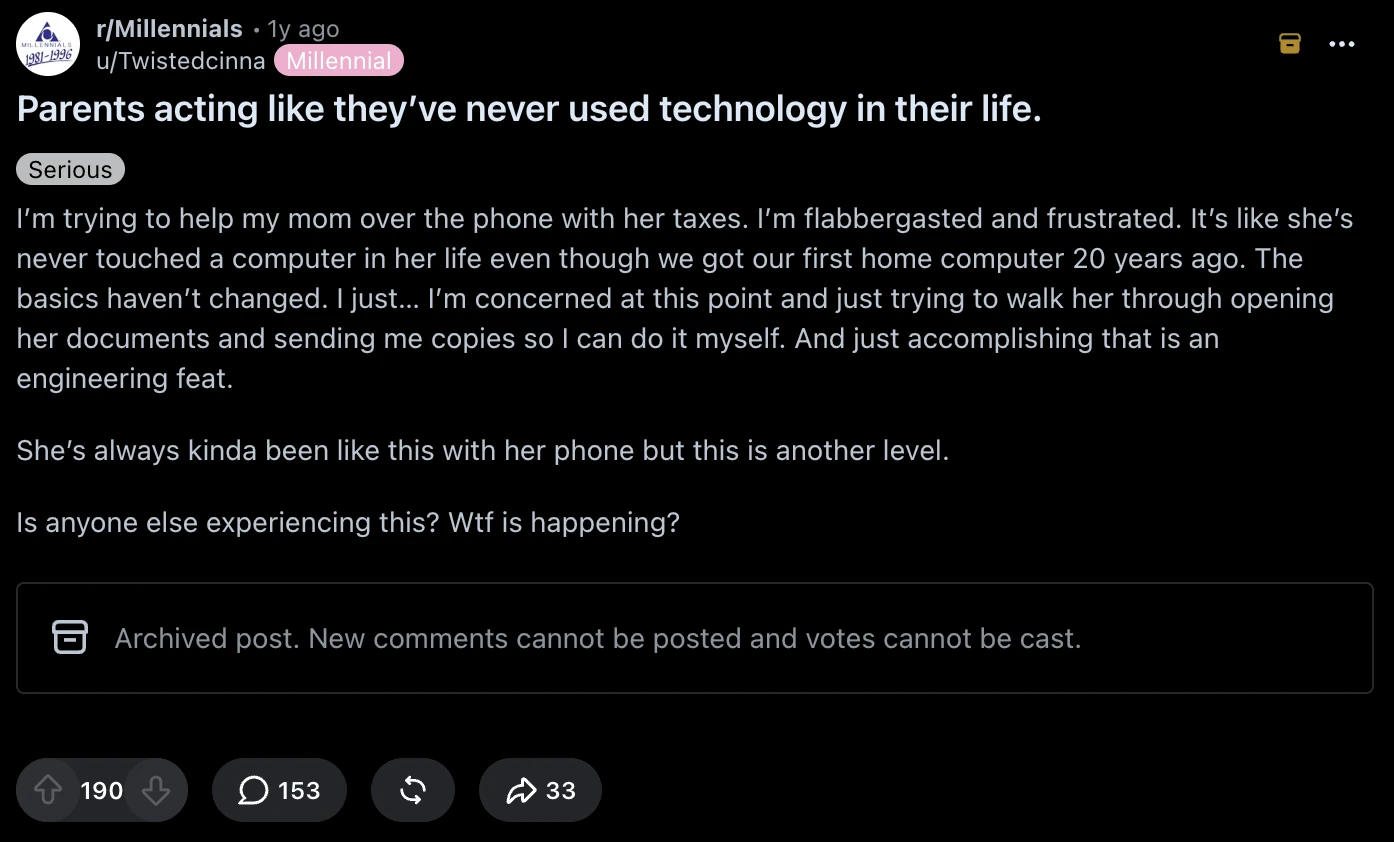
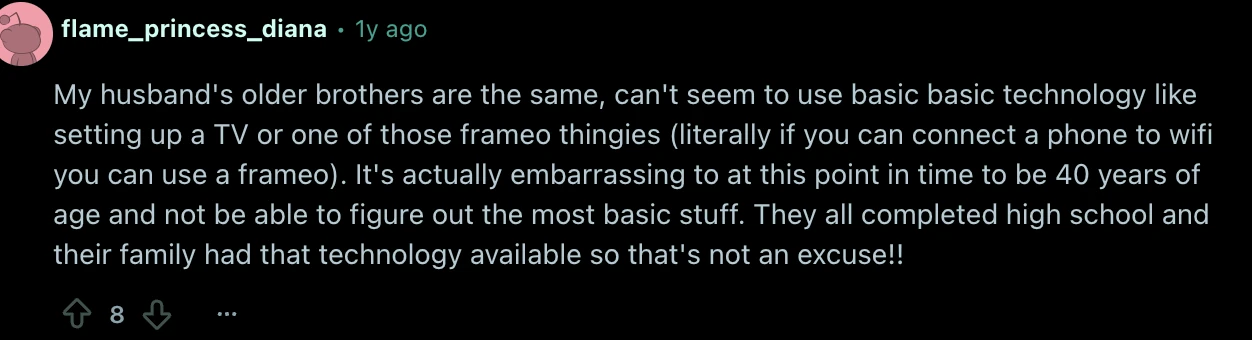
Real posts from people helping family


Senior Mode
A calmer phone for your parents.
- Big buttons. No tiny menus.
- Spoken Hindi and English. No jargon.
- Explains scam messages calmly.
Setup in 2 minutes
Set it up on your parent’s phone.
- Send a helper link on WhatsApp.
- Grant Android permission once, with a visual walkthrough.
- They solve their first hiccup on their own.
Never sees banking PINs · No remote takeover
Looks only when you ask. Never taps for you.
Session on
You ask.
Nothing runs until you ask.
Guiding
It shows you where to tap.
A circle and arrows on the next button, and a voice that tells you what to do. You always make the tap.
Session off
It stops looking.
The session ends the moment the task is solved, or when you press Stop.
Nothing kept
Nothing is kept.
What it saw was for that step only. Passwords are never read, and payment apps are off-limits.
Founding members
Everyone on the list gets 40% off year one.
Off your first 12 months
- The first 14 days, free.
- Then 40% off your first year.
- After that, your launch price stays frozen.
- No obligation to buy.
The waitlist is closed.
For the first 500 confirmed members · Redeemed with a code at launch · Offer terms
Questions, answered.
Get a notethe day it opens.kaelo is almost here.

- FirstEveryone on the list gets 14 days free.
- ThenAndroid opens to everyone on the Play Store.
- About two weeks lateriPhone.
On the list? Your invite arrives by email. Founding offer terms